
Download AgentGenesis – Secure Free AI Development Tool for RAG & Agents
Overview
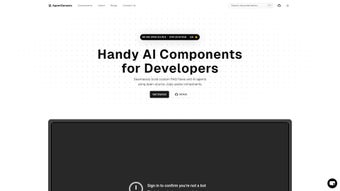
AgentGenesis is a web‑based, open‑source AI development platform that lets developers build, test, and deploy intelligent agents with a focus on Retrieval‑Augmented Generation (RAG) pipelines. The solution is designed for teams that need rapid prototyping without the overhead of configuring complex infrastructure. By offering a rich library of more than 200 reusable modules, ready‑made templates, and a unique LinkedIn Agent for safe public profile summarization, AgentGenesis accelerates the entire AI workflow—from data ingestion to final endpoint exposure.
The platform supports the most popular large language models (LLMs) such as OpenAI’s GPT‑4, Anthropic Claude, and Google Gemini, and it also integrates with locally hosted models via Ollama or Hugging Face. Its visual drag‑and‑drop flow builder removes the need for extensive coding, while the underlying code remains fully accessible for power users who wish to fine‑tune prompts or add custom logic. Security is baked in: API keys are encrypted at rest, all communications occur over HTTPS, and the platform complies with GDPR and CCPA standards.
Whether you choose the free SaaS tier or a self‑hosted Docker deployment, AgentGenesis delivers continuous updates, a vibrant community marketplace, and enterprise‑grade reliability—all without a license fee. This makes it an ideal choice for startups, research labs, and large enterprises looking to democratize AI development while keeping costs under control.
Key Features & Pros / Cons
The heart of AgentGenesis lies in its extensive feature set, which has been carefully crafted to address the most common pain points in AI agent creation. Below is a detailed breakdown of the core capabilities, followed by balanced pros and cons to help you decide if this tool matches your project requirements.
- Open‑Source Component Library: Over 200 pre‑built modules covering vector stores, prompt engineering, data ingestion, and output formatting, all released under permissive licenses.
- LinkedIn Agent Tool: One‑click summarization of public LinkedIn profiles for recruitment bots, market research, and personal branding assistants, with strict privacy safeguards.
- Multi‑LLM Compatibility: Native adapters for OpenAI (GPT‑3.5, GPT‑4), Google Gemini, Anthropic Claude, and the ability to connect to locally hosted models via Ollama or Hugging Face.
- Visual RAG Flow Builder: Drag‑and‑drop interface that lets you assemble retrieval pipelines, document stores, and LLM calls without writing boilerplate code.
- Template Marketplace: Hundreds of community‑contributed templates for Q&A bots, document search assistants, workflow automations, and more.
- Versioned Code Snippets: Git‑style version control for every snippet and flow, enabling easy rollback, branching, and collaborative development.
- Secure API Key Management: Encrypted storage for all external service credentials, preventing accidental exposure and meeting compliance standards.
- Real‑Time Logging & Debugging: Integrated console that visualizes token usage, latency, and error traces for each request.
- Auto‑Update Mechanism: Nightly checks for library updates and security patches, ensuring you always run the latest stable version.
- Cross‑Platform Accessibility: Works in any modern browser and offers lightweight iOS/Android apps for monitoring and quick agent execution.
Pros
- Free core tier with generous token limits and no hidden fees.
- Comprehensive open‑source library dramatically reduces development time.
- Multi‑LLM support enables cost‑effective experimentation.
- Intuitive visual builder suitable for both junior and senior developers.
- Active community contributes new agents, extensions, and best‑practice guides weekly.
- Secure API key storage and HTTPS endpoints meet enterprise compliance requirements.
- Dockerized self‑hosted option for on‑premises deployments.
- Detailed analytics and logging simplify performance tuning and debugging.
Cons
- Advanced customizations may require familiarity with Python or JavaScript.
- Docker image size (~800 MB) can be challenging for low‑bandwidth environments.
- Free tier imposes rate limits on concurrent RAG queries.
- Limited native support for non‑text modalities such as image or audio generation.
- Drag‑and‑drop UI can feel sluggish on older browsers or low‑end devices.
Installation, Usage & Compatibility
AgentGenesis is designed to get you up and running in minutes, whether you opt for the hosted SaaS version or a self‑hosted Docker deployment. Below you will find step‑by‑step guidance covering account creation, installation, initial configuration, and system requirements.
Getting Started (SaaS)
- Create an Account: Visit agentgenesis.io, sign up with a work email or use Google/Microsoft SSO. Verification is instantaneous, and you are taken directly to the dashboard.
- Select a Template: Browse the Template Marketplace, click “Use Template”, and the visual builder loads a pre‑wired RAG flow with vector store initialization and prompt scaffolding.
- Configure LLM Credentials: Navigate to Settings → API Keys and paste your OpenAI, Gemini, or Anthropic keys. All keys are encrypted at rest.
- Run a Test: Use the “Run Test” button to see token usage, latency, and retrieved documents in real time. Adjust parameters such as temperature or max tokens on the fly.
- Deploy the Agent: Click “Deploy” to generate a secure HTTPS endpoint. The endpoint can be called from any application using a simple REST request.
- Monitor & Iterate: The Analytics tab provides usage statistics, cost estimates, and error logs, enabling continuous improvement.
Self‑Hosted Docker Deployment
The Docker image runs on Windows 10/11 (Docker Desktop), macOS 12+ (Apple Silicon or Intel), and major Linux distributions such as Ubuntu 20.04+, Debian 11, and Fedora 35+. Minimum hardware requirements are 2 CPU cores (4 recommended), 4 GB RAM (8 GB for large vector stores), and 2 GB disk space for the container plus additional space for indexed data.
- Install Docker Desktop (Windows/macOS) or Docker Engine (Linux).
- Pull the latest image:
docker pull agentgenesis/app:latest - Run the container:
docker run -d -p 8080:80 -e AGENTGENESIS_KEY=YOUR_API_KEY agentgenesis/app:latest - Open a browser and navigate to
http://localhost:8080to access the UI. - Follow the same configuration steps as the SaaS version to add API keys, select templates, and deploy agents.
Both deployment options are fully responsive and work across Chrome, Edge, Safari, and Firefox. For mobile users, a lightweight iOS/Android app provides push notifications, log viewing, and the ability to trigger agents remotely.
Frequently Asked Questions
Is AgentGenesis truly free for commercial use?
Yes. The core platform, including the open‑source component library, visual RAG builder, and community templates, is free for both personal and commercial projects. Paid plans only add higher token quotas, priority support, and advanced analytics.
Can I integrate AgentGenesis with existing CI/CD pipelines?
Absolutely. AgentGenesis exposes RESTful endpoints and a CLI tool that can be invoked from Jenkins, GitHub Actions, GitLab CI, or any other automation platform. RAG flows can be versioned as JSON files and stored in your repository for automated deployment.
What privacy safeguards exist for the LinkedIn Agent?
The LinkedIn Agent only accesses publicly available profile data. No personal identifiers are stored beyond a short‑lived session cache, and all network traffic is encrypted via HTTPS. The feature complies with GDPR, CCPA, and LinkedIn’s developer policies.
Which large language models are supported out of the box?
AgentGenesis includes native adapters for OpenAI (GPT‑3.5, GPT‑4), Google Gemini, Anthropic Claude, and also supports locally hosted models via Ollama or Hugging Face Transformers. Adding a new model typically requires only a few lines of configuration.
How does version control work for custom agents and flows?
Every code snippet, template, and RAG flow is stored with a Git‑style version history. You can view changes, revert to previous versions, or branch a flow to experiment with new ideas without affecting the production version. This makes collaborative development safe and transparent.
Is there a way to monitor token usage and cost?
Yes. The Analytics tab provides real‑time statistics on token consumption, latency, and estimated cost per LLM provider. You can set alerts for budget thresholds and even switch to a cheaper model automatically based on usage patterns.
Conclusion & Call to Action
AgentGenesis delivers a rare combination of openness, power, and ease‑of‑use that makes it stand out in the crowded AI development landscape. Its free core tier, extensive open‑source library, and multi‑LLM compatibility enable developers to prototype sophisticated agents in hours rather than weeks. The visual RAG flow builder lowers the barrier for non‑technical team members, while the underlying code remains fully accessible for deep customization. Security‑first design, continuous auto‑updates, and a thriving community further ensure that the platform stays current and reliable for production workloads.
If you are looking to accelerate AI integration, reduce infrastructure costs, and leverage a collaborative ecosystem, AgentGenesis is the tool to consider. Sign up today, explore the template marketplace, and start building smarter agents that can retrieve, reason, and act on real‑world data—all without writing a single line of boilerplate code.
Create your free account now and experience the speed and flexibility that only an open‑source, community‑driven platform can provide.
Overall Rating: 4.7 / 5
Pros: Extensive library, multi‑LLM support, free core tier, strong community, secure API handling.
Cons: Advanced customization requires coding, rate limits on free tier, large Docker image for low‑bandwidth scenarios.



.png)



